An Interactive Workbench for Genome-Scale Metabolic Models
GEMs MAP connects constraint-based computation, reaction and metabolite exploration, and editable metabolic maps in one application. Load a genome-scale model, simulate it with COBRApy, follow how individual metabolites participate in the network, and turn the results into a clear pathway figure, without writing every step as code.
Why GEMs MAP?
Genome-scale metabolic models (GEMs) describe thousands of reactions and metabolites. Escherichia coli iML1515, for example, has 2,712 reactions, 1,877 metabolites and 1,516 genes. Asking such a model a question is easy with COBRApy; reading the answer is harder. Flux vectors are long tables, identifiers differ between models, and the figures that communicate a result are usually redrawn by hand, outside the analysis.
GEMs MAP keeps these steps together. Every simulation result stays inspectable (which medium, objective, bounds and solver produced it), every metabolite and reaction can be followed through the network, and the same identifiers that COBRApy uses are carried onto the map, so results bind to the drawing without manual matching.
Three parts, one workflow
-
COBRAGUI
The COBRA graphical user interface: a front end to COBRApy. Import SBML, COBRA JSON or MATLAB models, configure the medium, bounds and objective, run FBA, pFBA, loopless FBA or FVA, then inspect, compare and export the results.
-
Maps
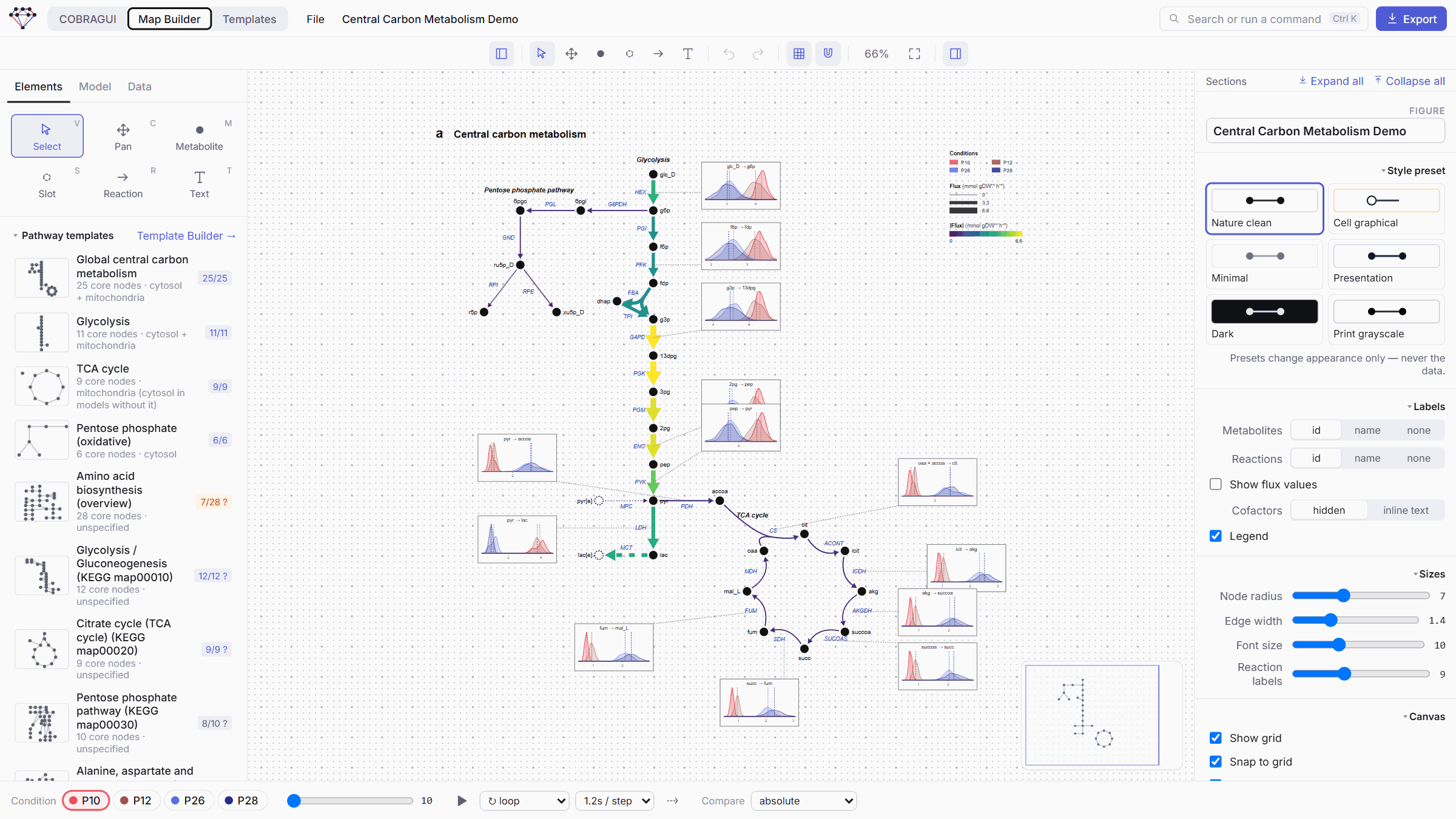
The Map Builder workspace: an editable canvas for pathway figures. Draw or insert pathways, bind them to the model, map fluxes to arrow width and colour, compare conditions and export SVG, PNG, PDF or animated GIF.
-
Templates
The Templates workspace: reusable pathway layouts that describe biological identity, not model IDs. A matcher finds what each molecule is called in a given GEM and asks you to review uncertain cases.
How the parts fit together
flowchart LR
    F["Model file<br/>SBML · JSON · MAT"] --> L["COBRAGUI<br/>(COBRApy)"]
    L -->|"FBA · pFBA · loopless · FVA<br/>(COBRApy)"| R["Results<br/>with provenance"]
    R --> C["Compare<br/>A vs B"]
    T["Template<br/>(identity + layout)"] -->|"identity matching<br/>+ your review"| M["Map Builder"]
    L -->|"Add to map<br/>(same model IDs)"| M
    R -->|"Visualize result"| M
    C -->|"Visualize comparison"| M
    M --> X["Figure<br/>SVG · PNG · PDF · GIF"]
The model is the shared reference: reactions drawn on a map keep their model IDs, so a result computed in COBRAGUI colours the arrows that represent those reactions.
Design goals
- Reproducibility. Each result records the model checksum, model state, medium, objective, modified bounds, method parameters, solver, status and time. The imported model file is never modified.
- Inspectability. Analyses report their solver status explicitly; a failed solve never shows zeros as fluxes. Template matches show their evidence, and uncertain matches wait for a person.
- Visual clarity. A map is a communication device. Its layout is chosen by people (or a reviewed template) and stays stable when data or models change.
These are design goals, not guarantees: the biological meaning of a flux distribution still depends on the model, its constraints and the question asked. See Limitations.
What is implemented today
| Area | Status |
|---|---|
| Model import (SBML, COBRA JSON, MATLAB), exploration, editing | Implemented |
| FBA, pFBA, loopless FBA, FVA (with progress and stop) | Implemented |
| Result history, comparison, subsystem views and figures | Implemented |
| Metabolite annotation curation with MetaNetX (and local BiGG tables) | Implemented |
| Map Builder, flux mapping, condition comparison, export | Implemented |
| Model-independent templates, identity matching and review | Implemented |
| KEGG-derived templates made offline by an AI curator | Awaiting review |
| Solver selection, flux sampling, gene knockouts | Planned |
| In-app AI template generation, community template hub | Planned |
The full list of planned work is on the Roadmap.
Acknowledgements
GEMs MAP builds on open science software and data. All simulations run in COBRApy (Ebrahim et al., 2013, BMC Systems Biology 7:74). Identifier curation uses MetaNetX/MNXref and, when installed locally, the universal tables of BiGG Models. The examples in this documentation use the E. coli model iML1515 from BiGG. GEMs MAP is an independent project and is not maintained or endorsed by the COBRApy, BiGG, MetaNetX or KEGG teams.
Curious how it all started? Read the story of GEMs MAP.